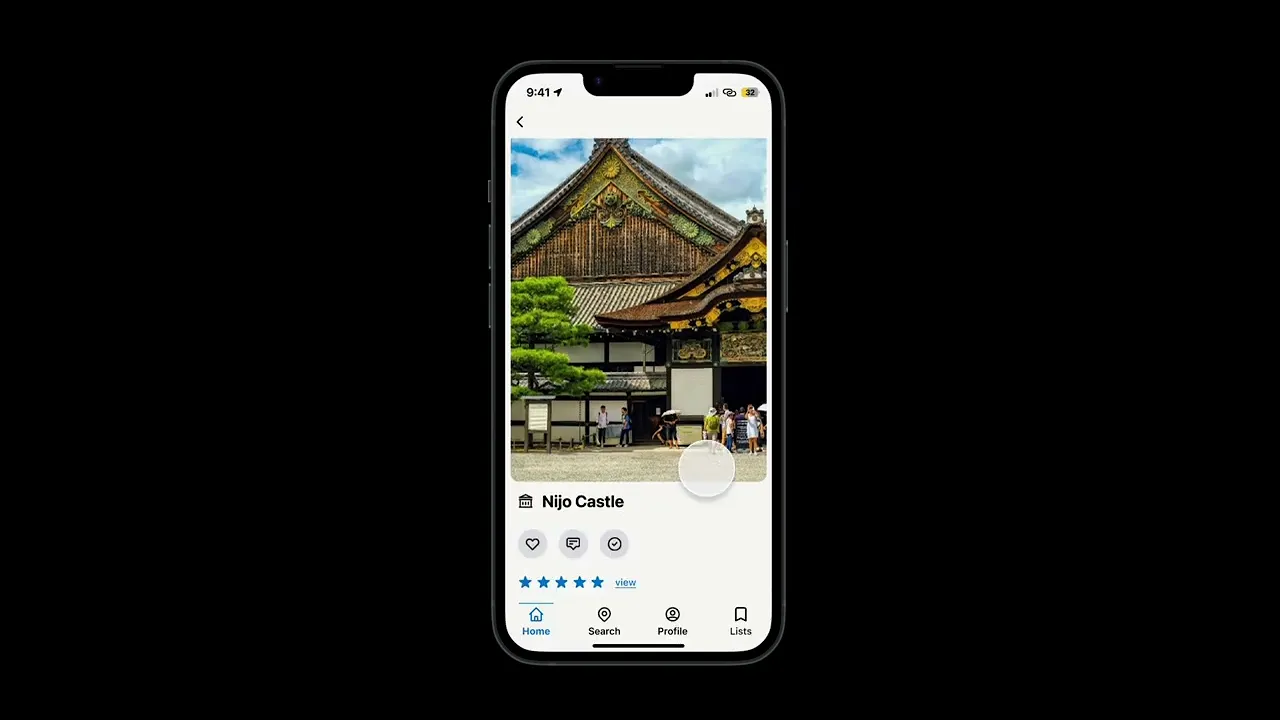


Video: The final design prototype
Overview
Reimagining the world heritage experience
Brief:
UNESCO has no official app, leaving travelers to rely on third-party options that are hard to navigate and lack community. I redesigned one to make discovering, learning about, and tracking World Heritage Sites clear, engaging, and connected to an active community.
Impact:
The redesign shows how a centralized, well-designed UNESCO app could makes exploring heritage sites more intuitive and opens the door to a shared-interest travel community.
Key Insights
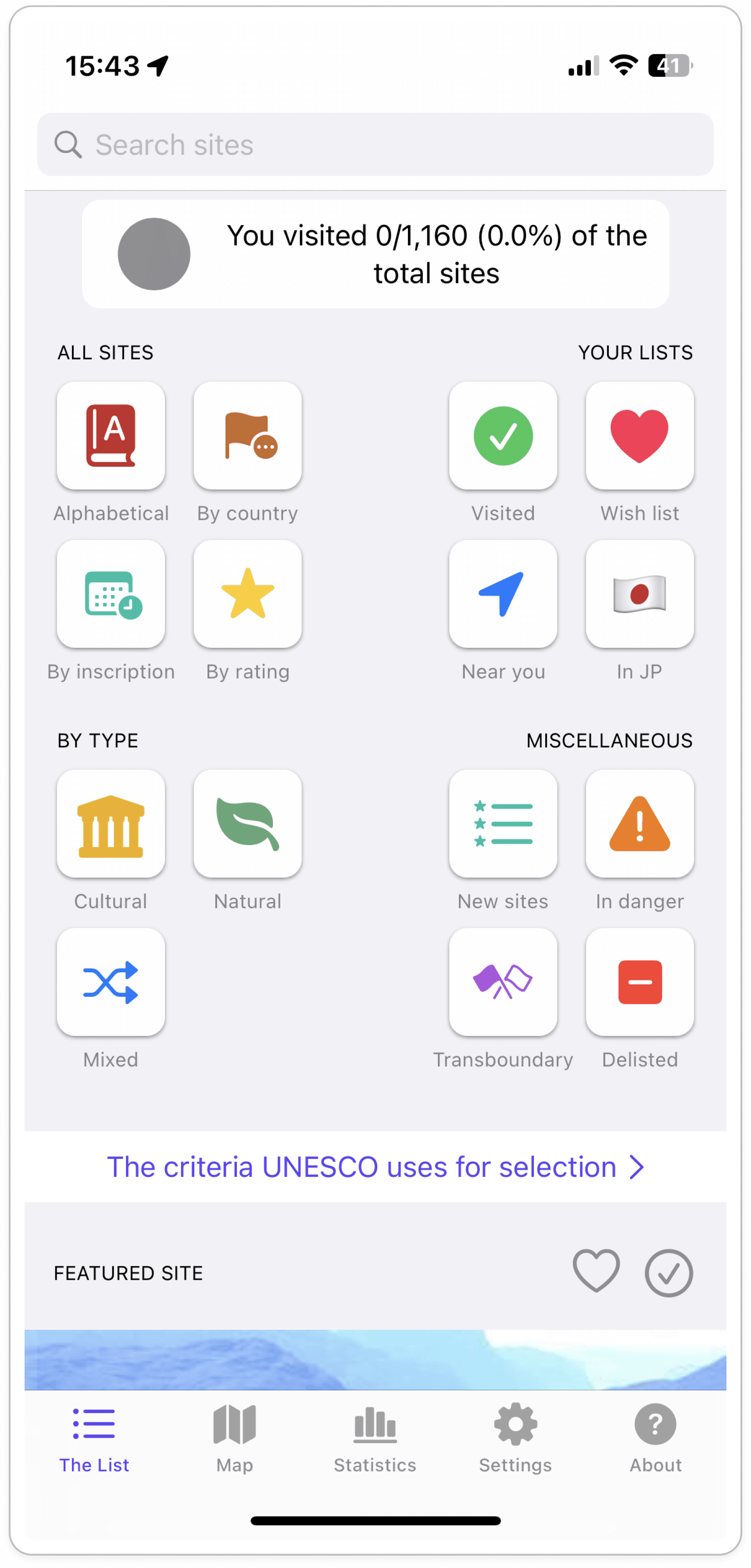
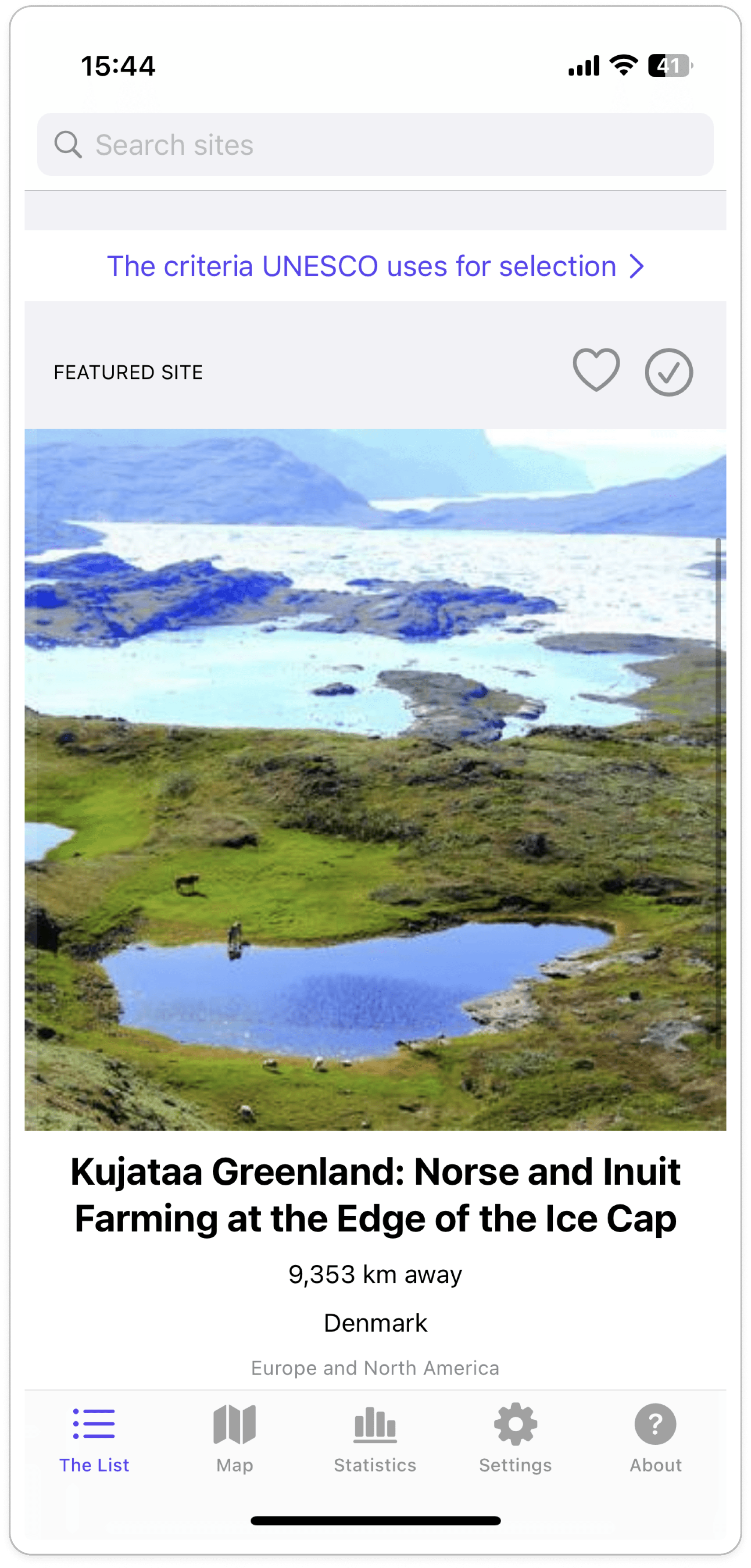
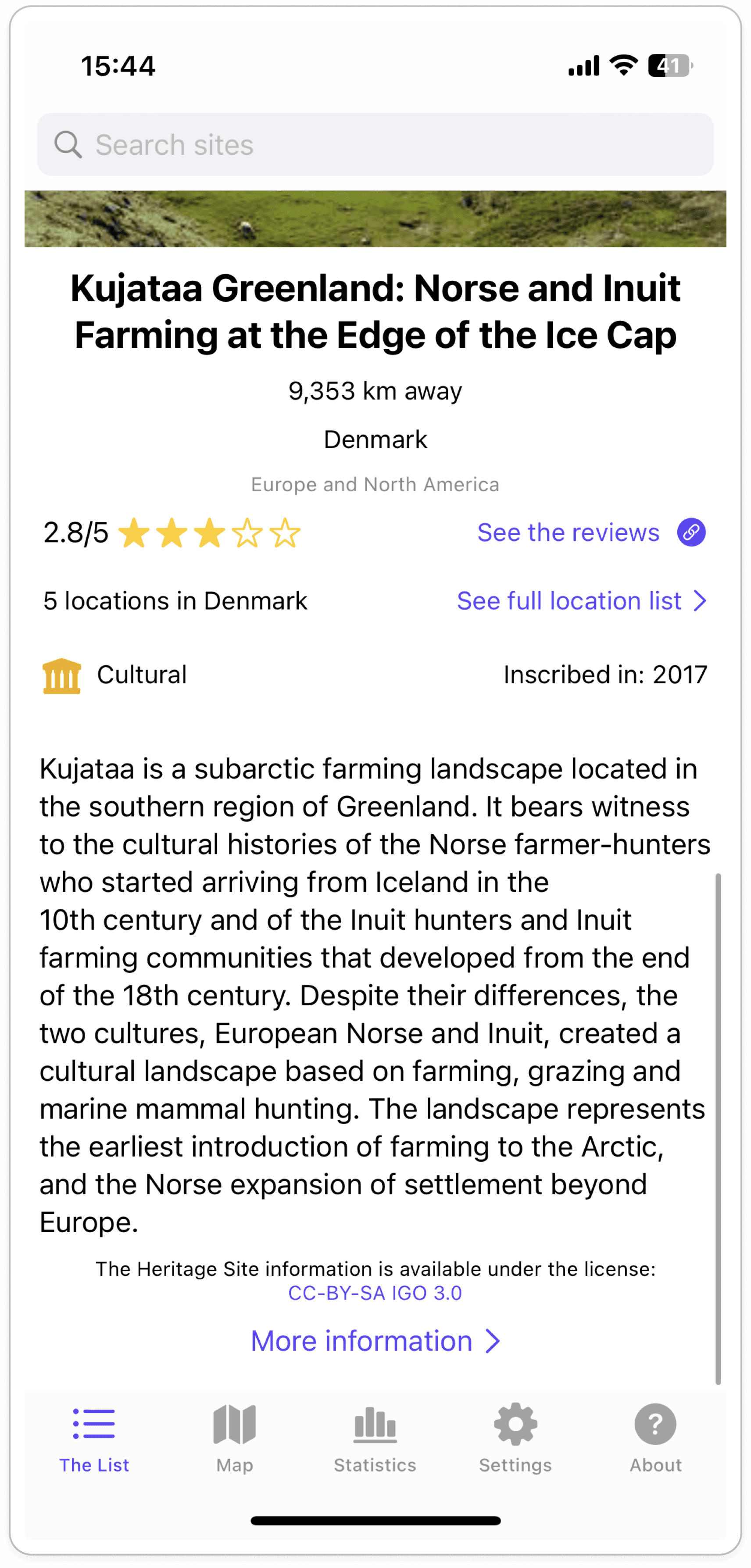
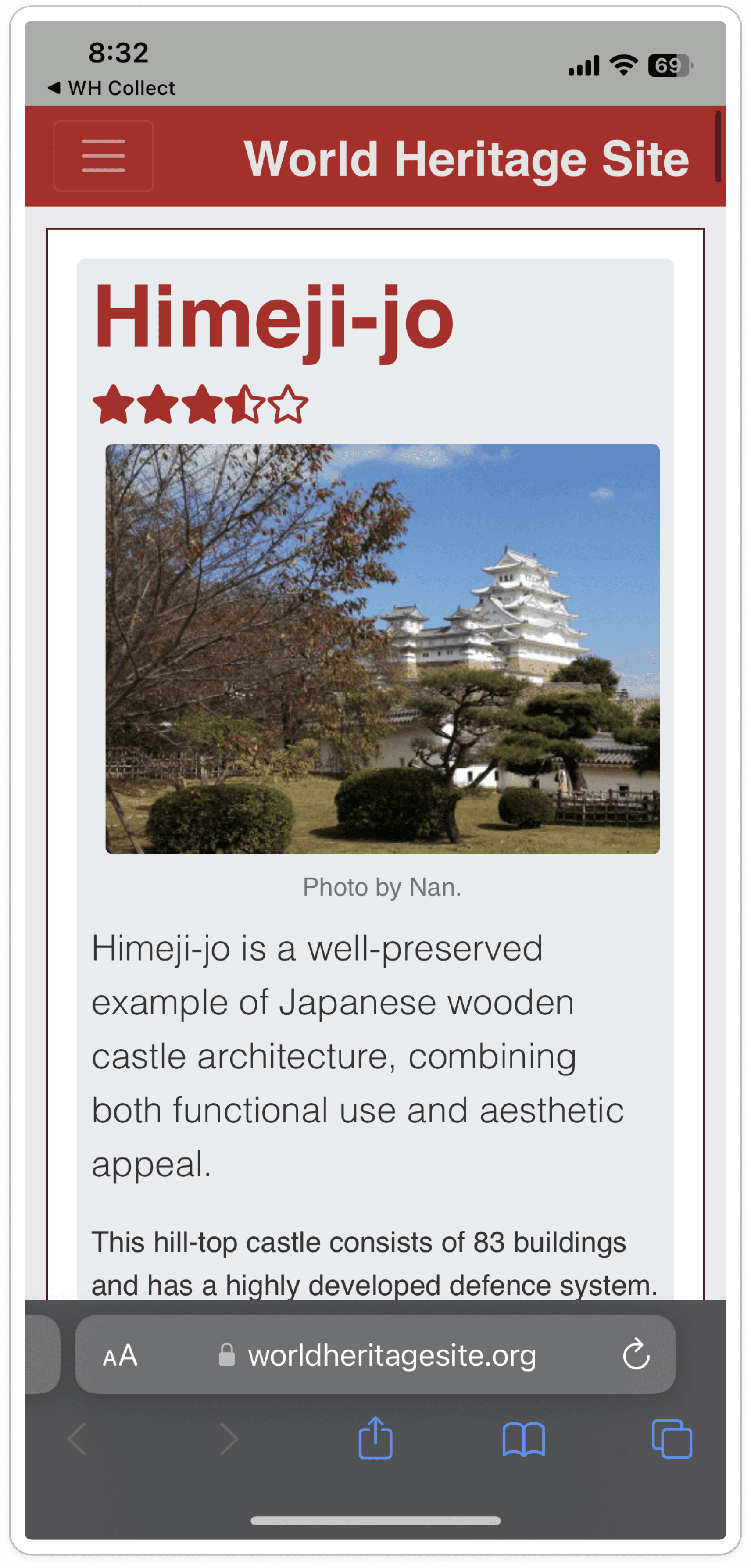
2 glaring pain points in the chaos and confusion
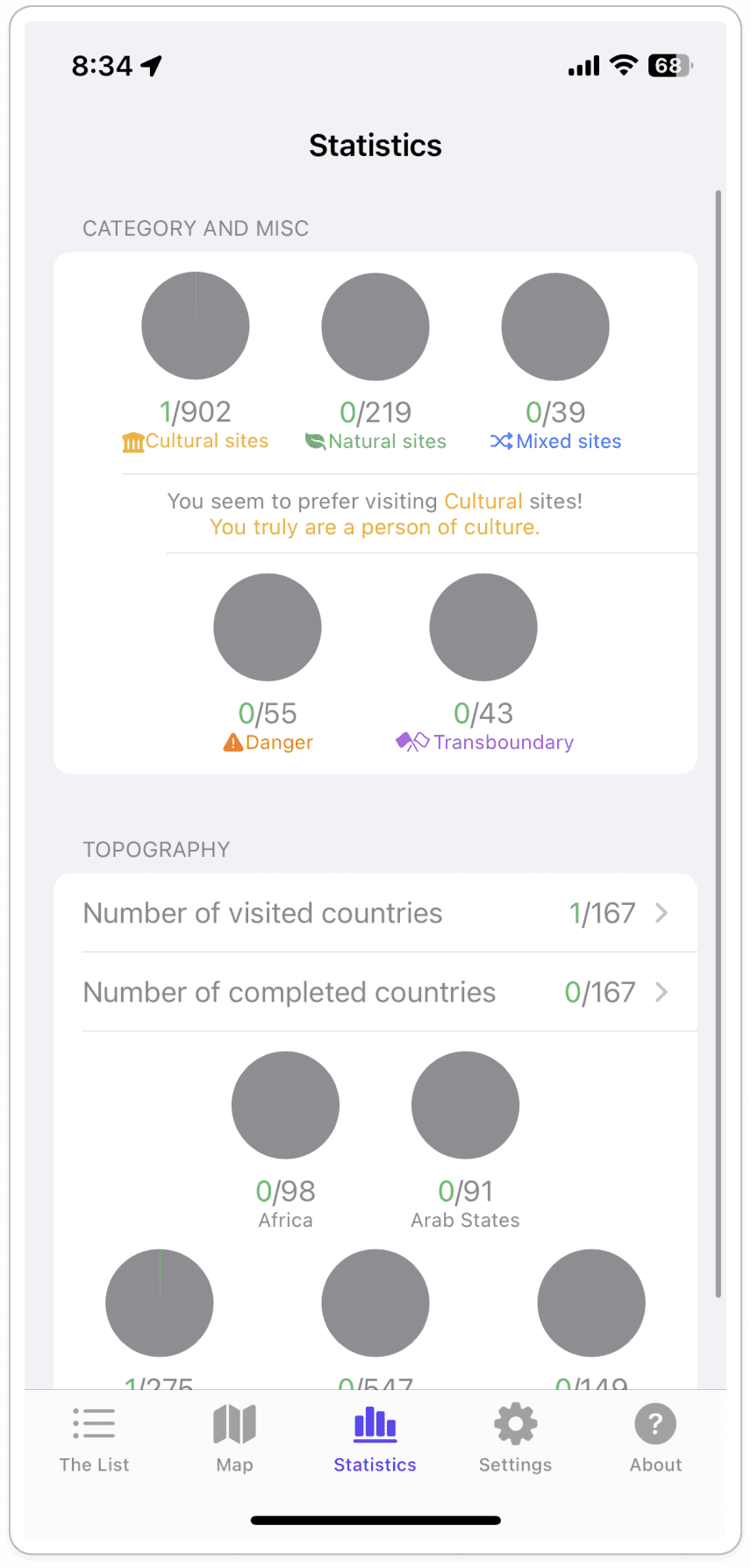
Info. overload = user exhausted
Too many colors, weak hierarchy, and outdated typography overwhelm the user
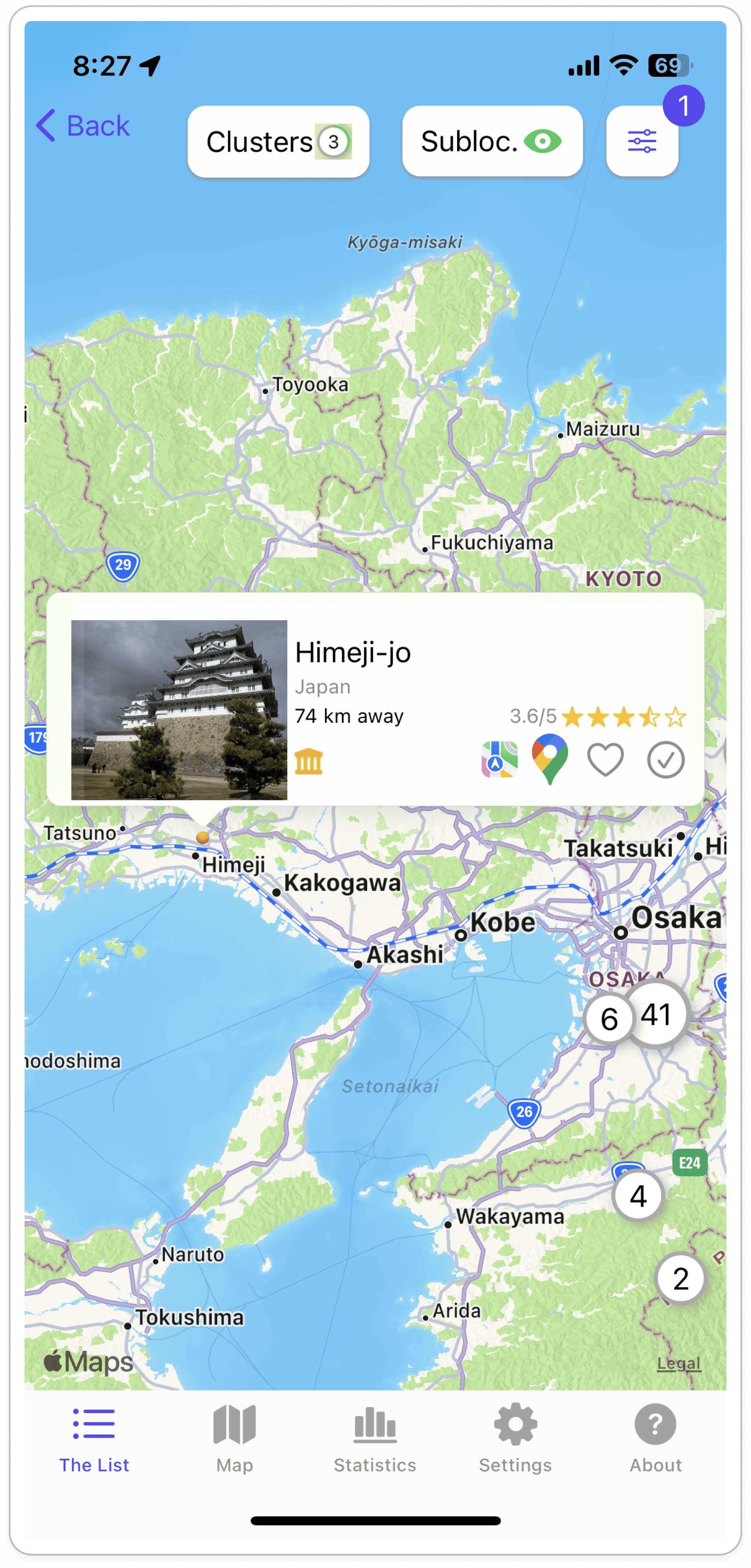
Unclear structure = hesitation
The purpose of "The List" as the home screen and the map's numbering aren't obvious
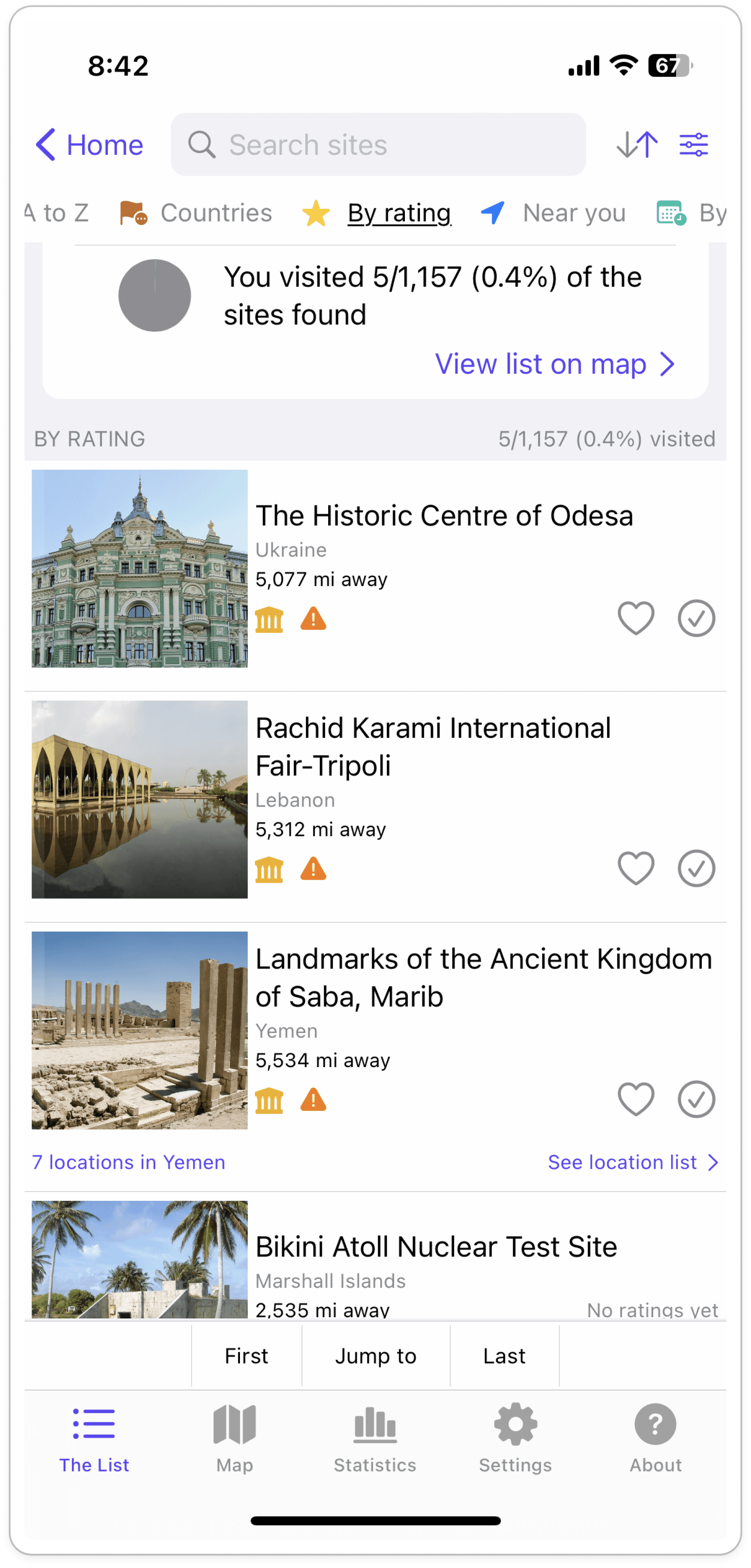
Duplicated navigation = friction
A cluttered header and repeated nav elements slow users down
No brand identity = visual clutter
Dense layouts and low-quality images make pages feel like ads
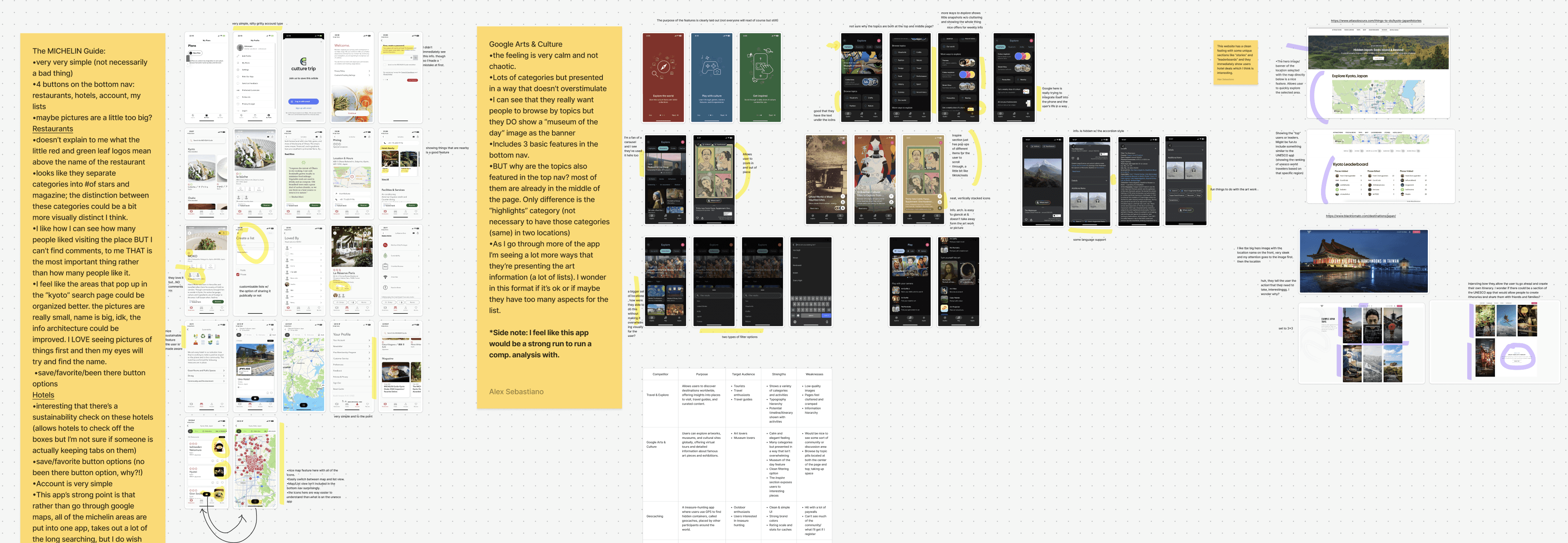
4 areas competitors get it right
Organization & simplicity
Scannable text, high-quality images, and simple filtering make navigation effortless
Engaging content
Interactive maps make discovery fun instead of a chore
Solid functionality
Users complete tasks without friction
Strong branding
Each organization's purpose is clear, with colors and visuals that don't overwhelm
The 5 Competitor Apps
Google Arts and Culture

The Michelin Guide

Geo Catching

Triptastic

Culture Trip

Ideation
Focusing on discoverability and community
I selected four areas where the redesign needed to improve in order to create a space that could promote discovery and create an environment for people to come together digitally.
Featured Location: Introduce lesser known heritage sites to promote discoverability and education, improving the features from the 3rd party app
Categories: Clear heritage site categorization and filtering to make navigation and discoverability easier
Community: Create a community for users who have a shared passion, which encourages use of the app
Tracking and Lists: Improve the way users track locations they've been to and want to visit, and allow for custom list creation
1
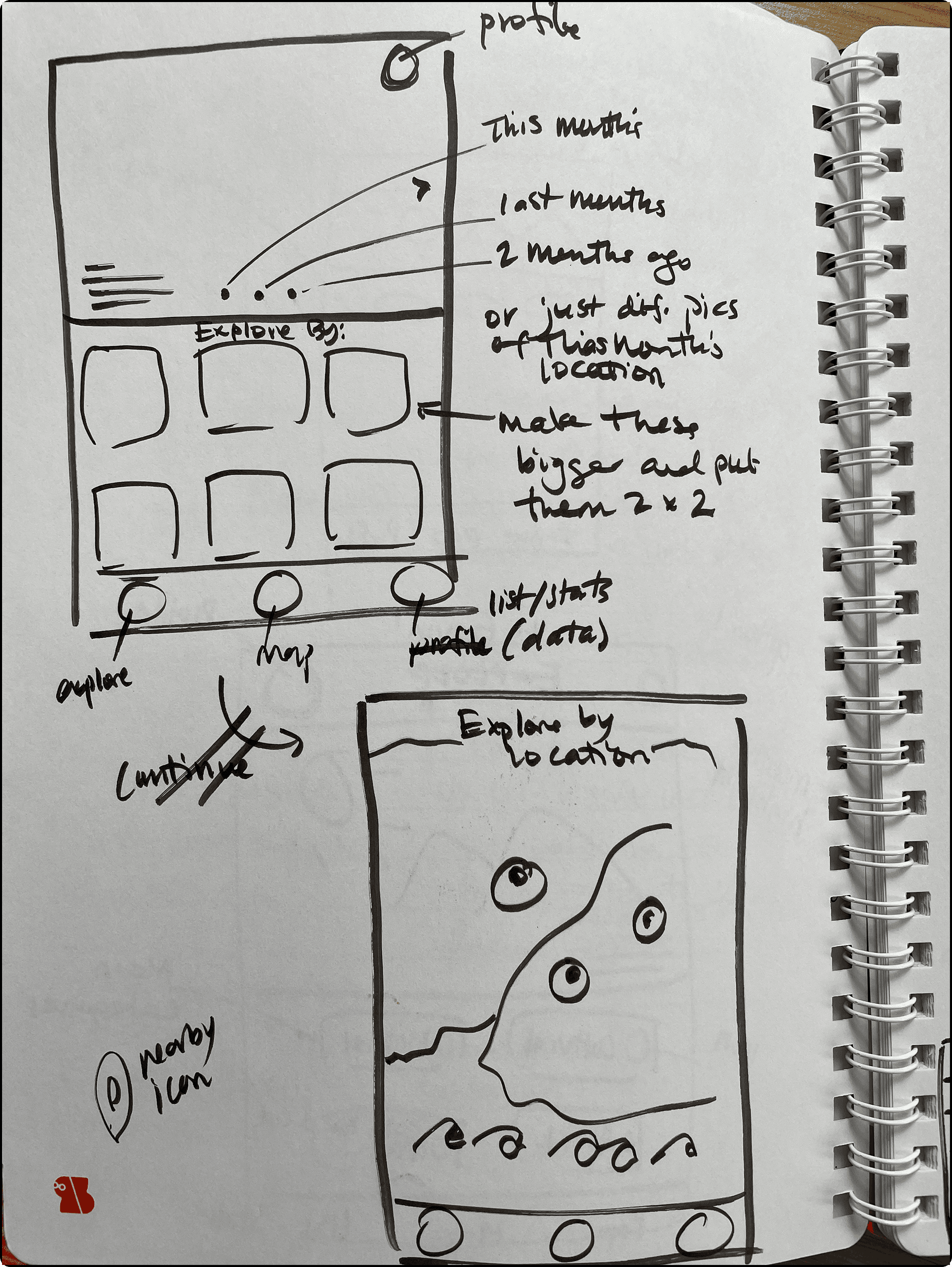
Sketched a potential layout for showcasing a featured world heritage site on the top with the categories on the bottom, however, the layout felt too tight so I decided against it.
2
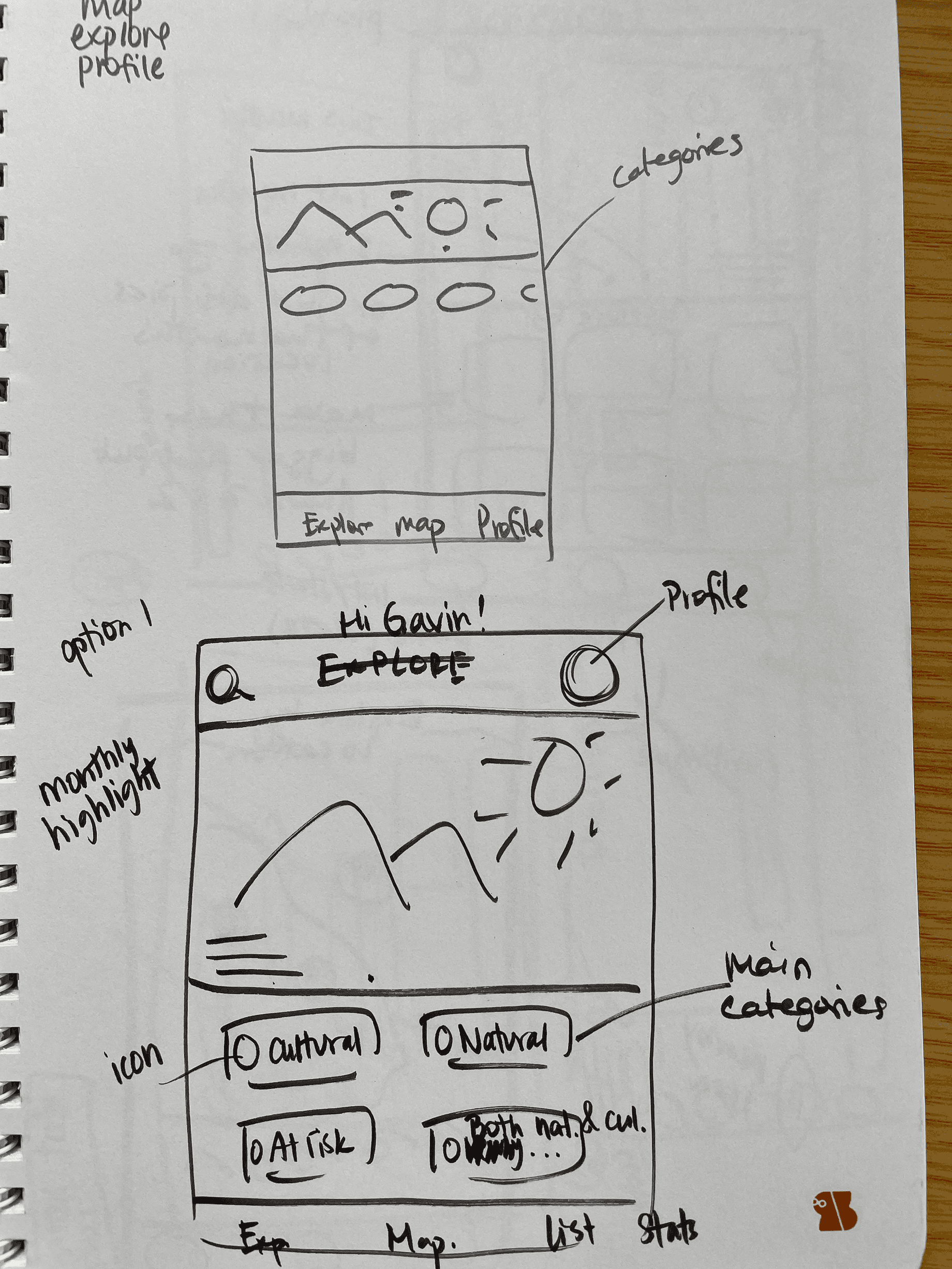
Sketched another layout and made the categories visually smaller, like pills, but this design didn't express the importance of exploring and discovering the sites.
Experimenting with tracking and statistics
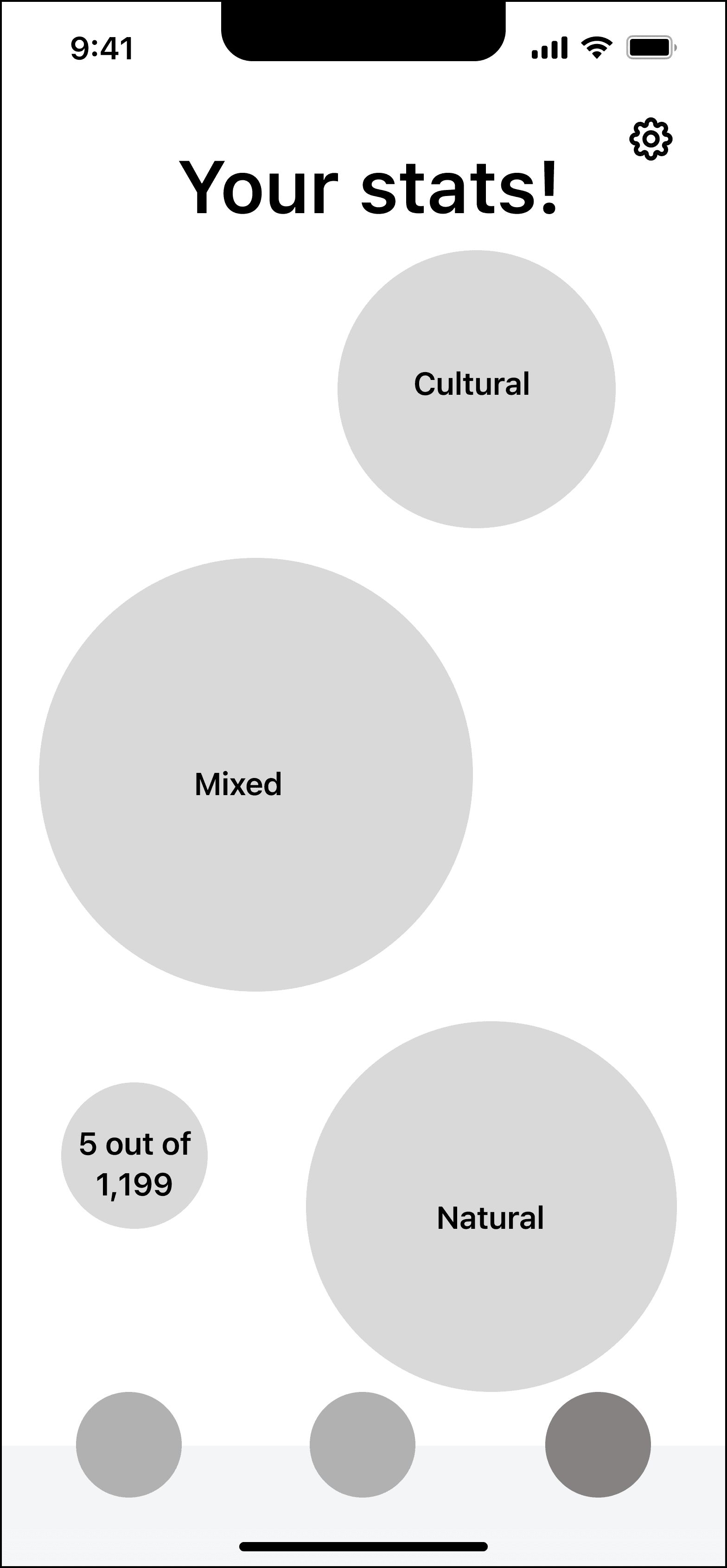
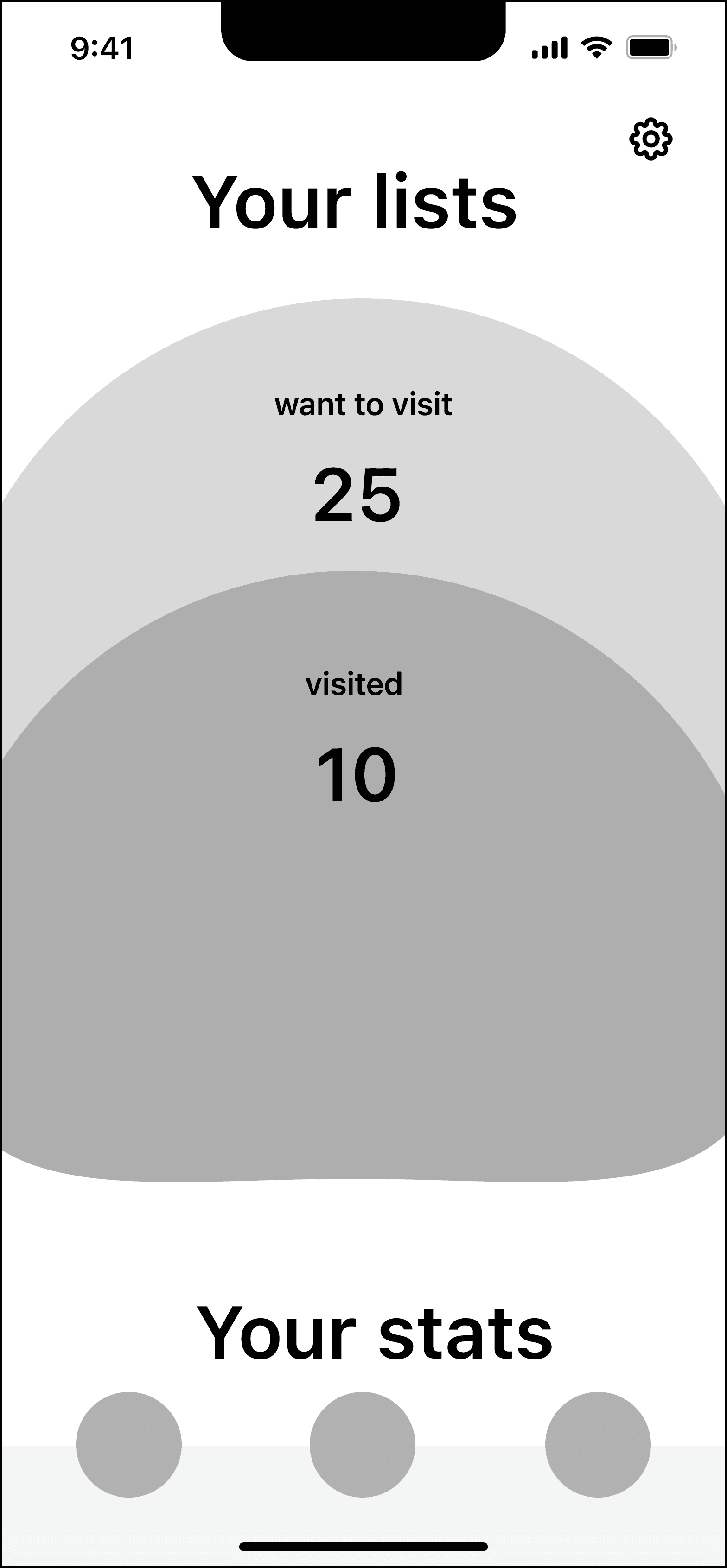
I created two different layout options for showing users how many specific types of UNESCO world heritage site they've visited so far.
Left wireframe: Category circles that grow each time a user checks off if they’ve visited the site
Right wireframe: Growing circles concept with "Want to visit" and "Visited" sites
However, I realized that this design may present issues for a future dev team by taking too much time and resources to create. *But I did keep the idea of circles for tracking in the final design
Final Design
Digital community for discoverability, education, and tracking
The redesign turns a cluttered UNESCO app into an engaging community platform for exploring all 1,154 UNESCO sites.
With curated features, scannable content, and a gamified achievement system, users move from passive browsing to real life visits, all while engaging with community features connecting fellow heritage enthusiasts.
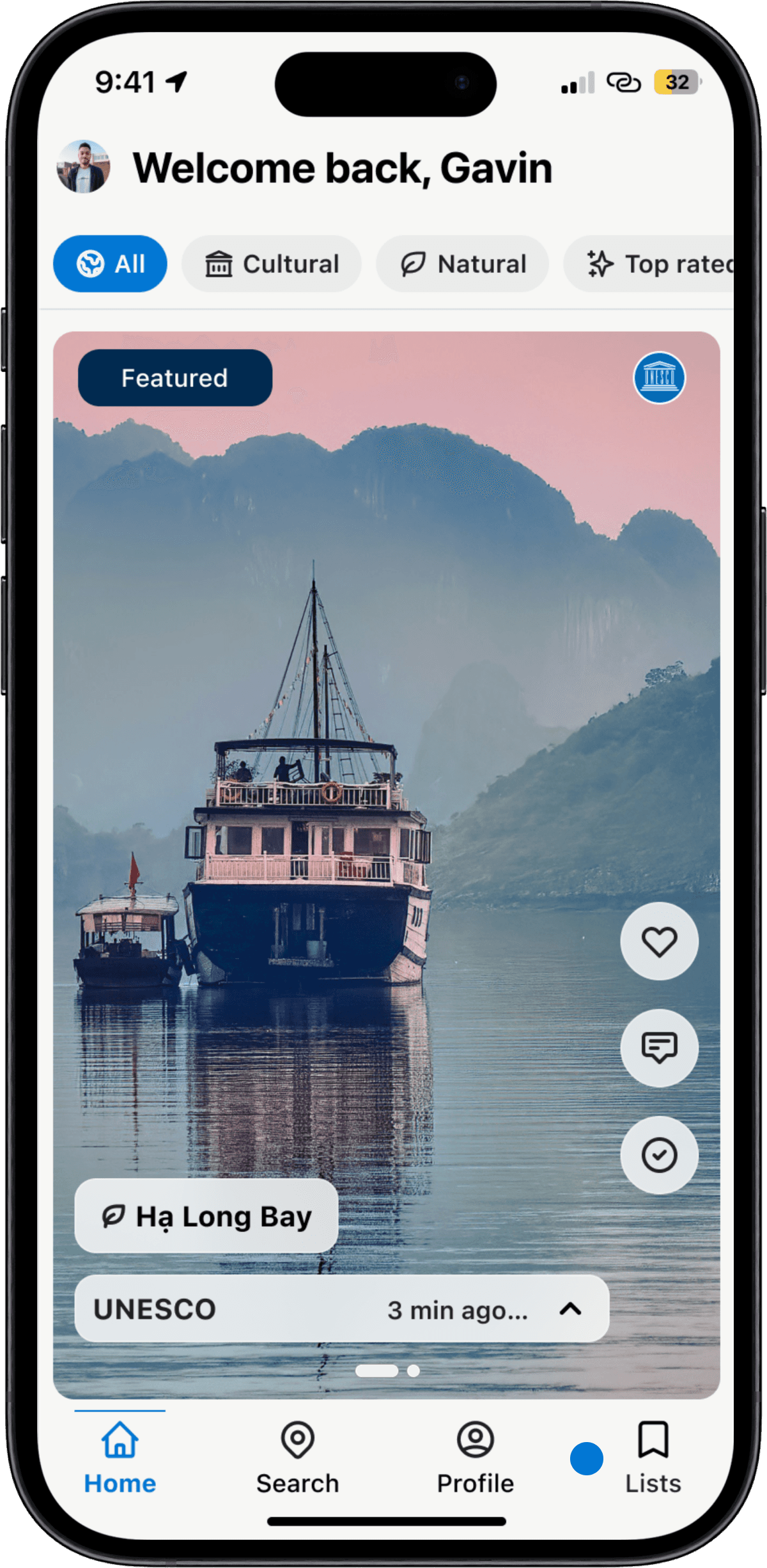
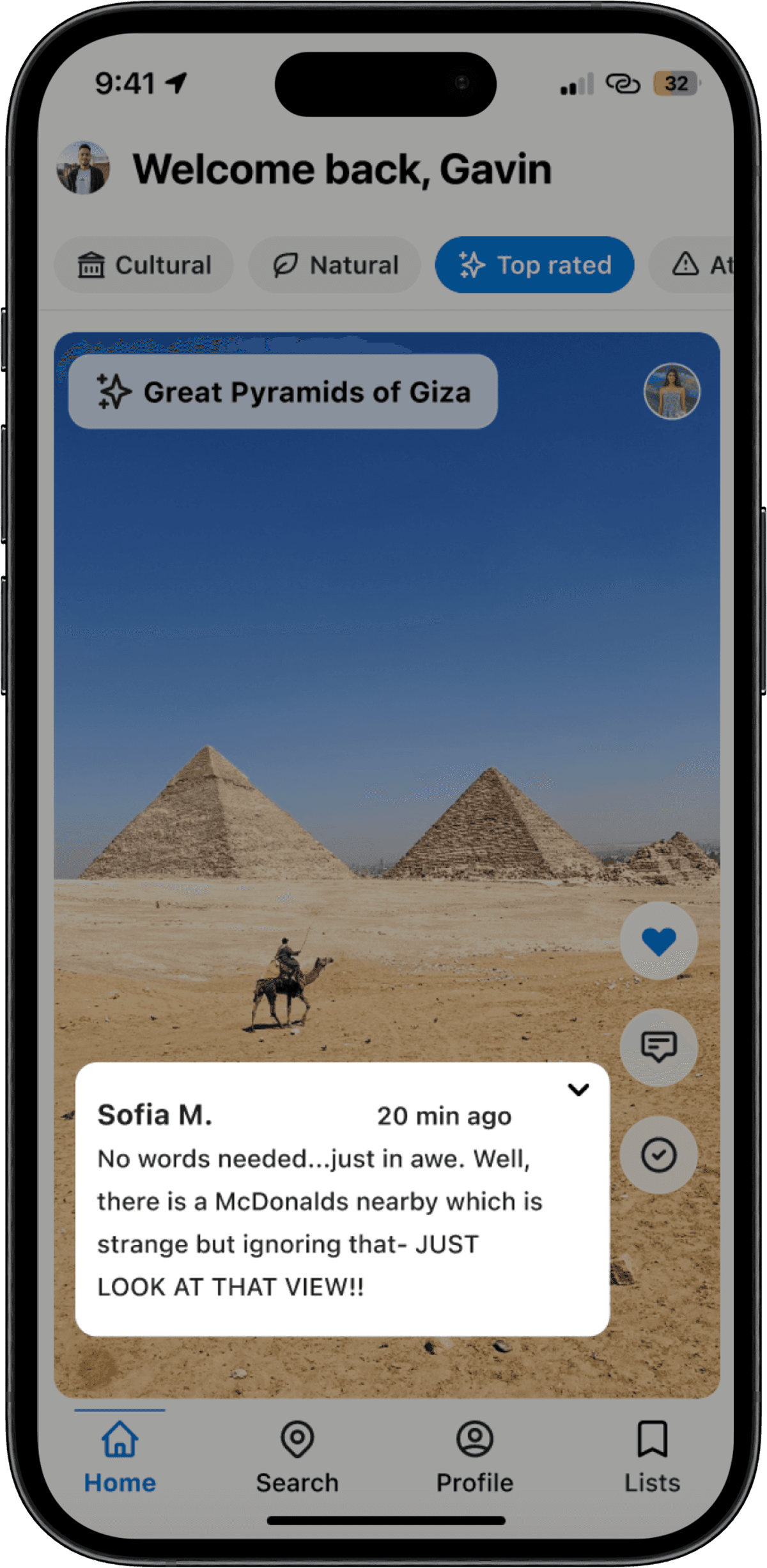
Home Feed
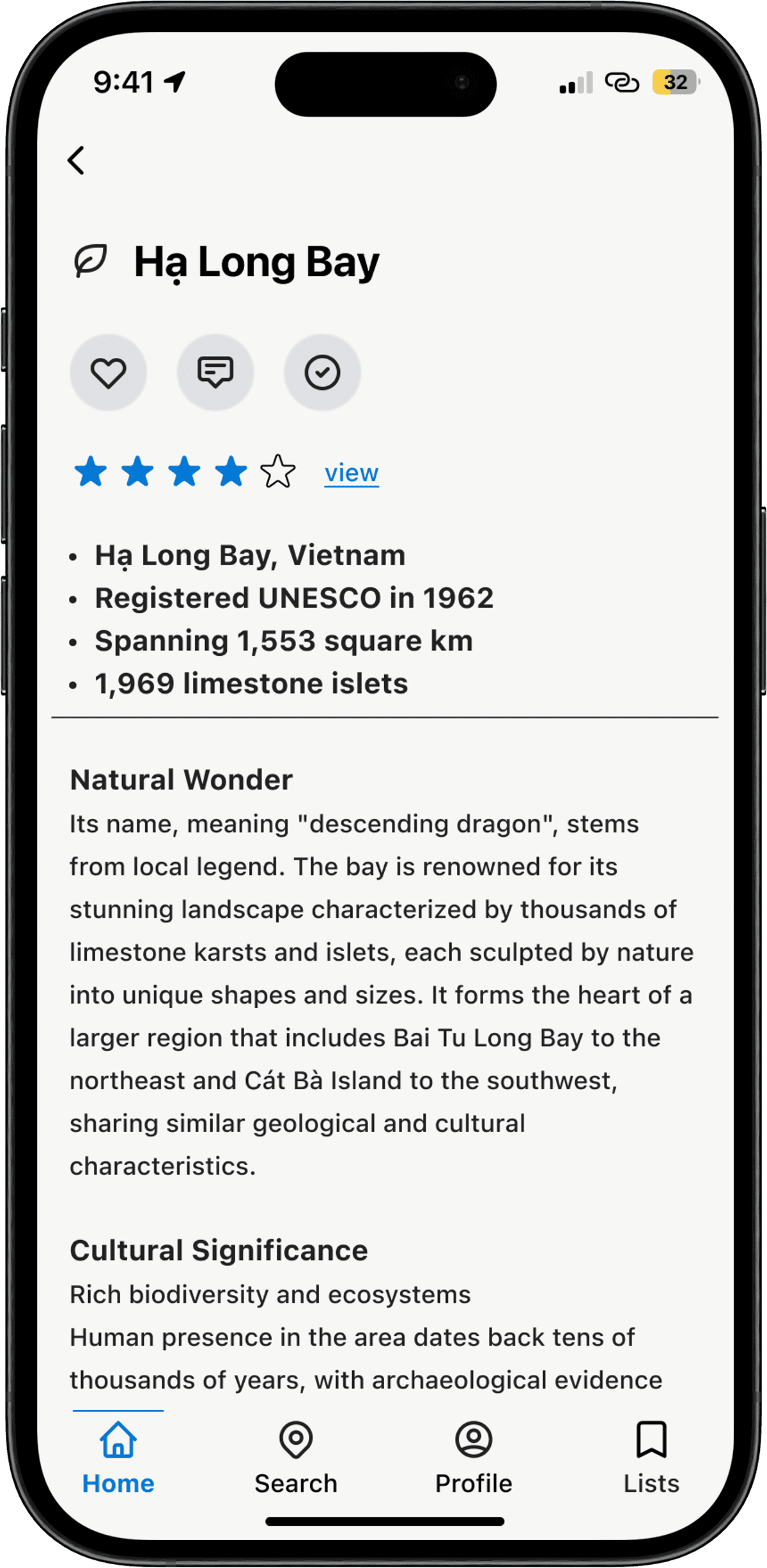
The weekly featured section doesn't look like an ad, allowing users to like, comment, and track visits directly. Scannable headers and bullet points make site details easy to skim, while filtering pills simplify browsing.
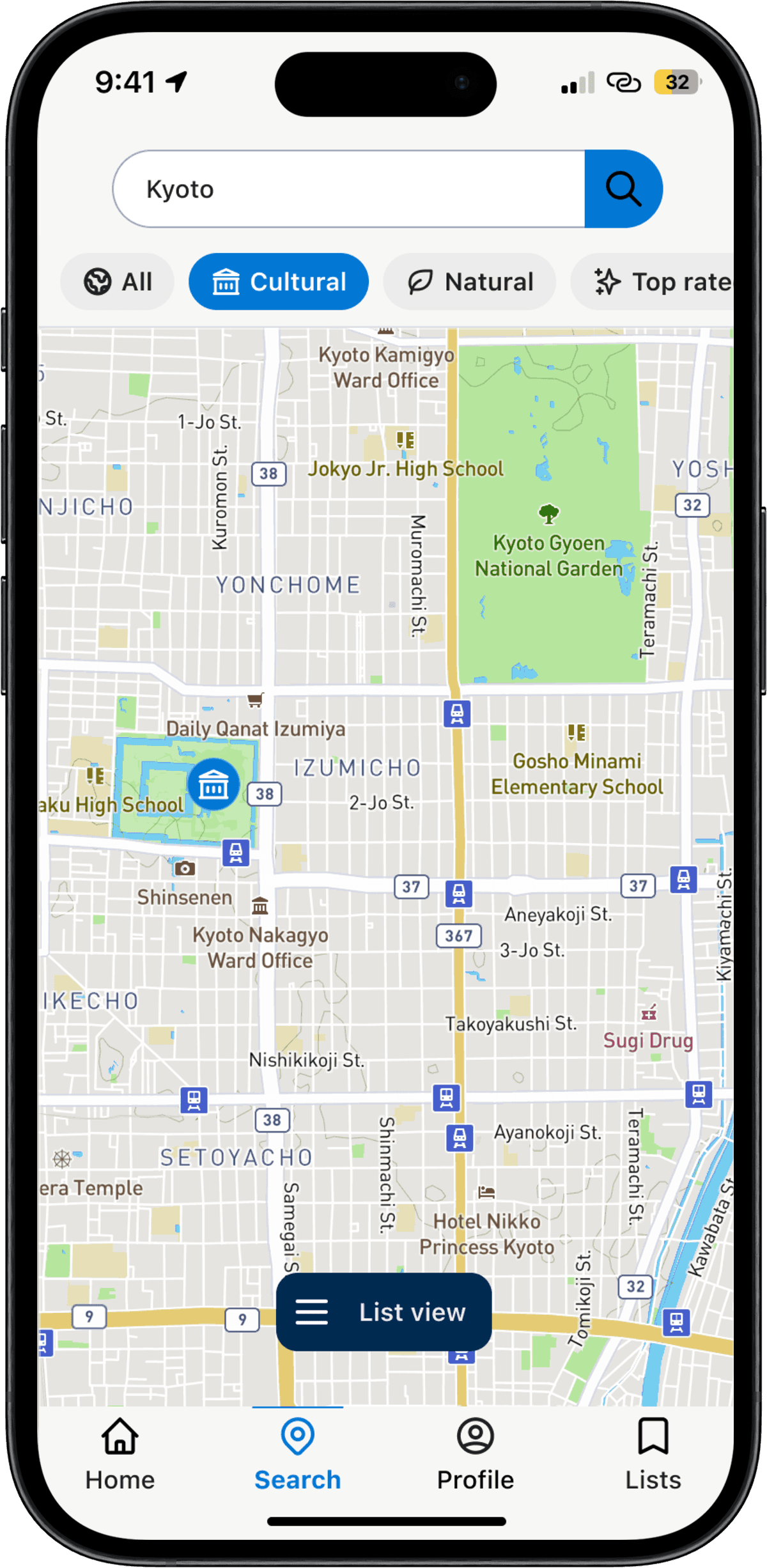
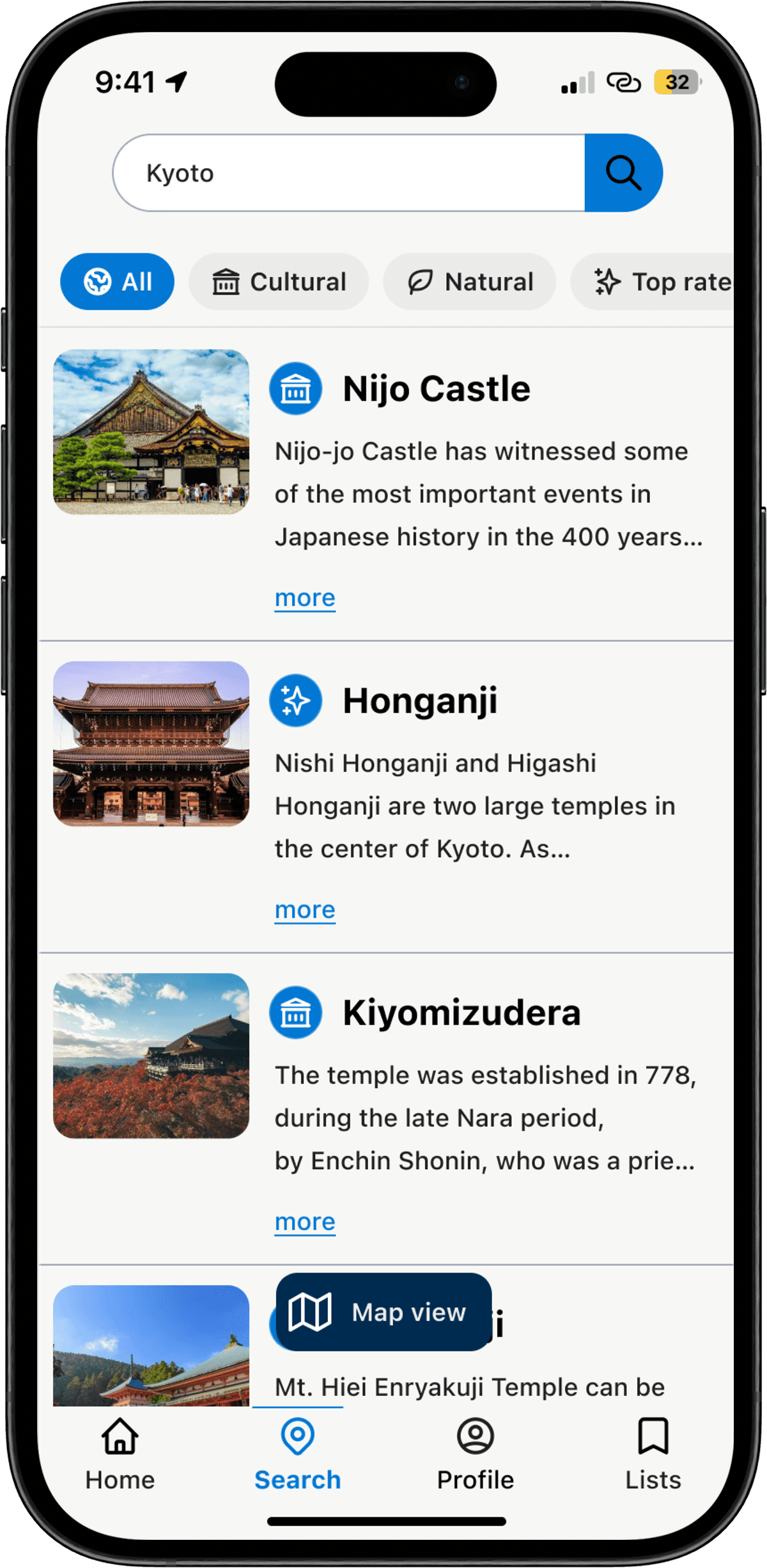
Clear Map
Map icons align with category filters, and a dual view (map or list) gives users a choice that reduces cognitive load. The list view shows brief information and image before users dive into the full article.
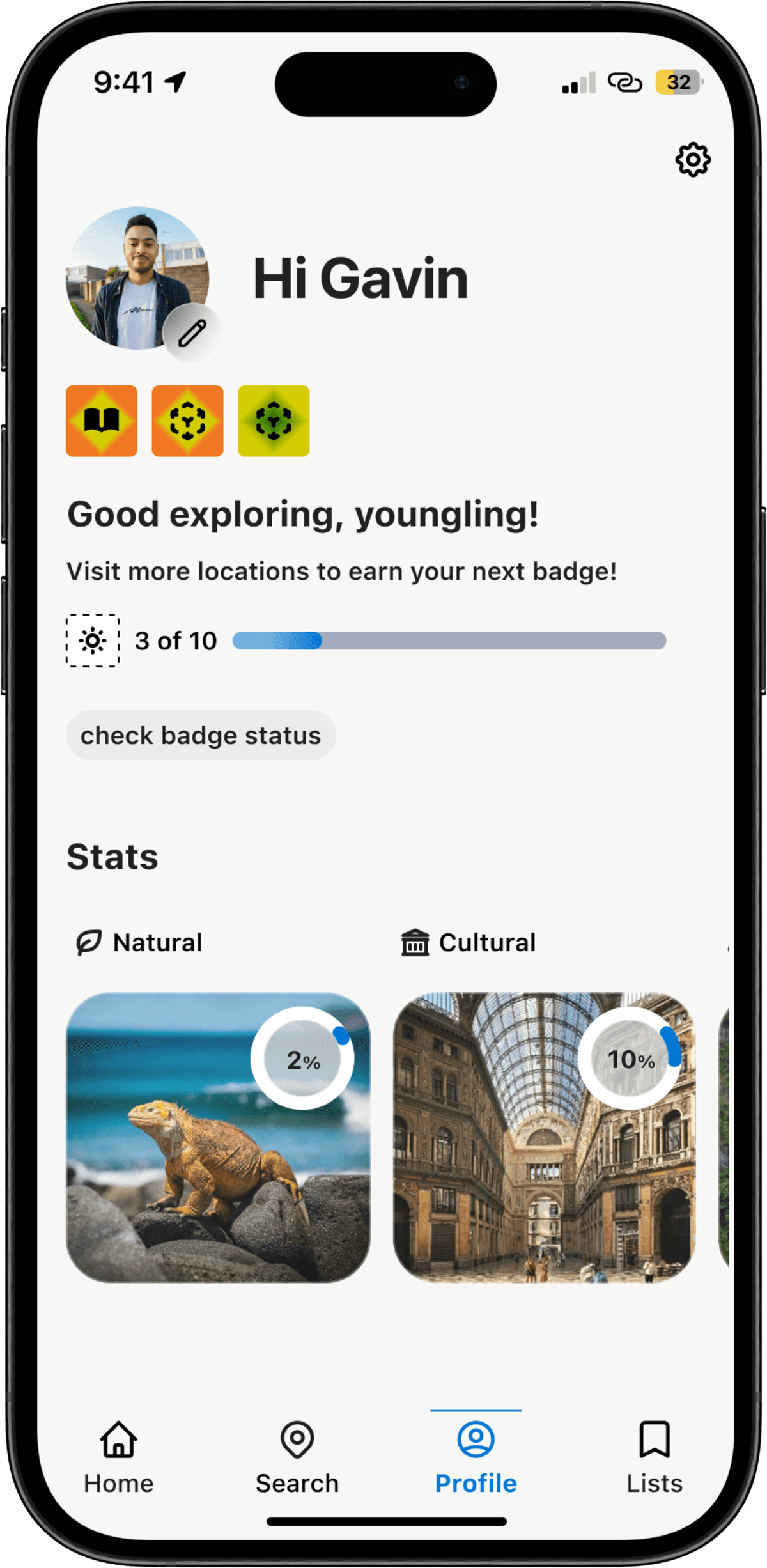
Profile Stats & Lists
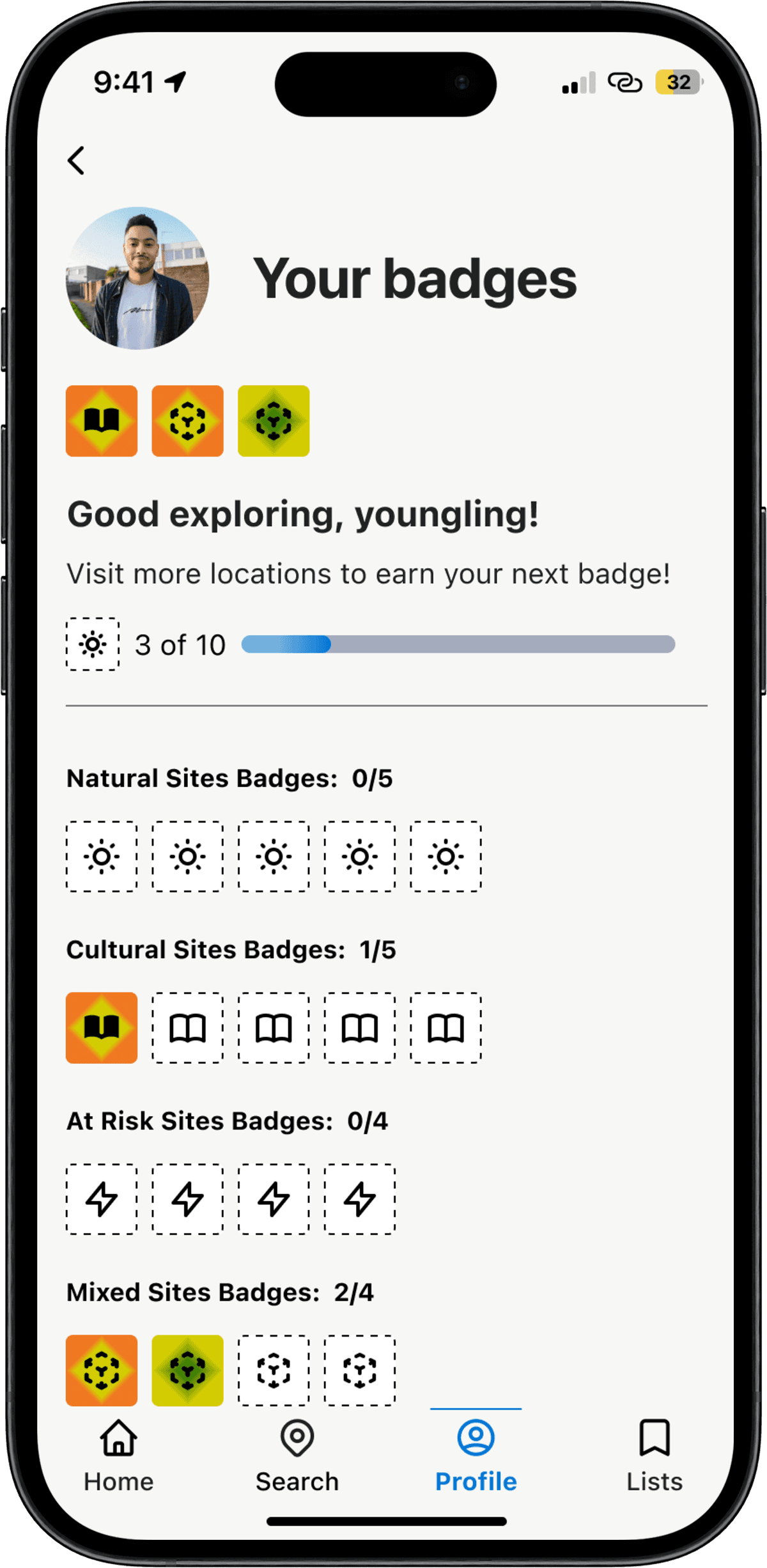
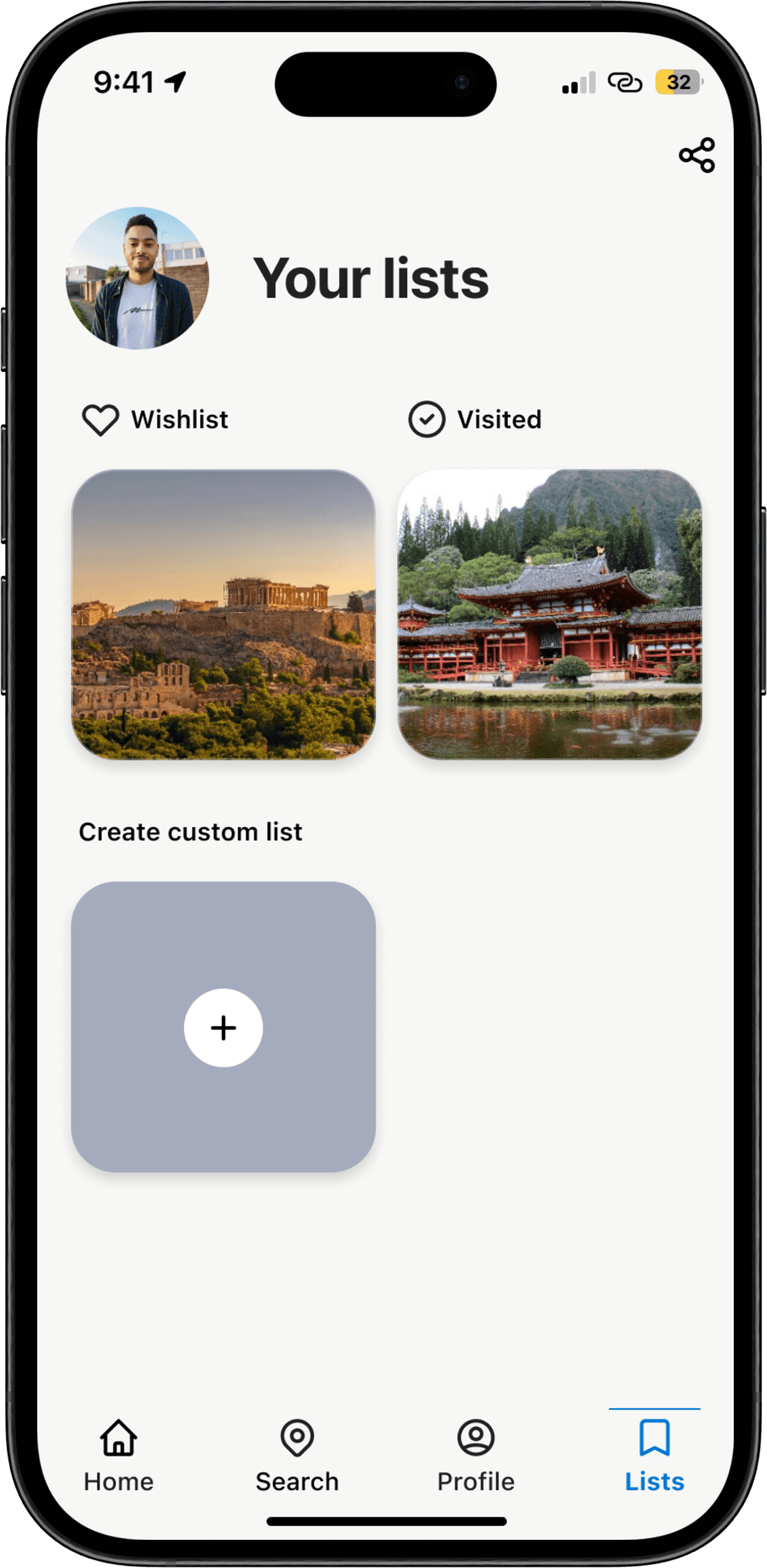
A gamified badge system tracks visited sites, turning passive browsing into real world exploration. Users can also create custom lists to organize sites their own way.
"This would really help with my trip planning!"
— Participant, usability session
Learnings
Stakeholder validation & real world constraints
Present my design to two UNESCO employees who showed interest in the project but also shared concerns over funding. They did share my idea at a conference in August, but unfortunately it did not bear fruit. However, it was a good experience and knowing that individuals within the organization showed intrigue was wonderful.
Learned that there is a group of users who would benefit from and actively use an app if it became a reality
Considered the financial and time restrictions that would possibly appear if this project were handed off to a dev. team